3 Best BPM Tools for Mapping & Automating Operations
Your operations live in spreadsheets, inboxes, and a few people's heads. Many teams start comparing BPM tools only after a process breaks, an audit looms, or a key employee leaves with the steps undocumented. The right platform maps the work, automates the handoffs, and keeps proof that each step ran.
This article lays out the criteria that separate strong mapping and automation tools from weak ones, then reviews three options: Process Street, Tallyfy, and ProcessMaker. You will see how each handles visualization, integrations, and compliance, and leave with a clear pick for your team.
What to Look For in BPM Tools for Mapping & Automating Operations
Selecting a BPM tool requires evaluating how well it visualizes processes, automates workflows, and integrates with your existing systems. These three capabilities rarely carry equal weight across every team, so the right fit depends on where your operations feel the most friction today.
A strong platform balances process mapping, workflow automation, and compliance rather than excelling at just one. Tools that map beautifully but cannot automate force manual handoffs. Tools that automate aggressively but document poorly leave you with workflows nobody can audit or improve.
The two subsections below break this evaluation into two passes: first the mapping and visualization side, then automation, integrations, and compliance. Use them as a structured checklist during demos and trials so you compare platforms on the same criteria.
Mapping & Process Visualization Capabilities
Effective process mapping requires tools that support BPMN 2.0 standards, drag-and-drop designers, and real-time collaboration. BPMN, or business process notation, gives teams a shared visual language, so diagrams stay readable to anyone outside the person who drew them.
Visualization should go beyond static drawing. Look for process discovery features such as importing existing diagrams from tools like Visio, and process mining that reads event logs to show how work actually flows. Together they close the gap between the process on paper and the process in practice.
Version control matters more than most buyers expect. When a workflow changes, you need a history of who edited what and the ability to roll back. Collaborative editing lets several stakeholders refine a diagram at once instead of passing files around.
During a trial, test concrete scenarios rather than watching a canned demo:
- Map a cross-functional process with swimlanes spanning three or more departments.
- Have two or more users edit the same diagram simultaneously and check for conflicts.
- Import an existing Visio or BPMN file and confirm the layout survives.
- Edit a published process and verify version history and rollback work.
- Attach documentation, owners, and controls to each step.
- Export the diagram in a standard format your team can reuse.
If any of these steps requires a specialist or a support ticket, weigh that cost against how often your business process analysis changes.
Automation, Integrations & Compliance Features
Automation capabilities should cover no-code workflow building, conditional logic, and integration with your existing tech stack. A no-code automation builder lets operations teams adjust workflows without filing IT requests, which shortens the path from process improvement idea to live change.
Check that the workflow engine handles conditional branching, loops, and error handling. Branching routes a request down different paths based on data, loops cover repeat steps like collecting approvals, and error handling defines what happens when a step fails or stalls. Without these, task automation breaks the first time reality diverges from the happy path.
Integration options typically fall into three groups: native connectors for common business apps, REST APIs for custom systems, and webhooks for event-driven triggers. Confirm which of your core systems are covered natively before assuming an API will bridge the gap.
Compliance features deserve equal scrutiny. Look for audit trails that record every action, role-based access controls, and certifications such as SOC 2 or ISO 27001 where your industry requires them. These matter for finance, HR, and any process touching regulated data.
Common use cases to rehearse in a trial include employee onboarding, invoice approval, and contract review. Try automating a five-step approval process without IT help. If you can build it, test it, and trace its audit history yourself, the platform fits genuine operations management work.
1. Process Street - Best Overall
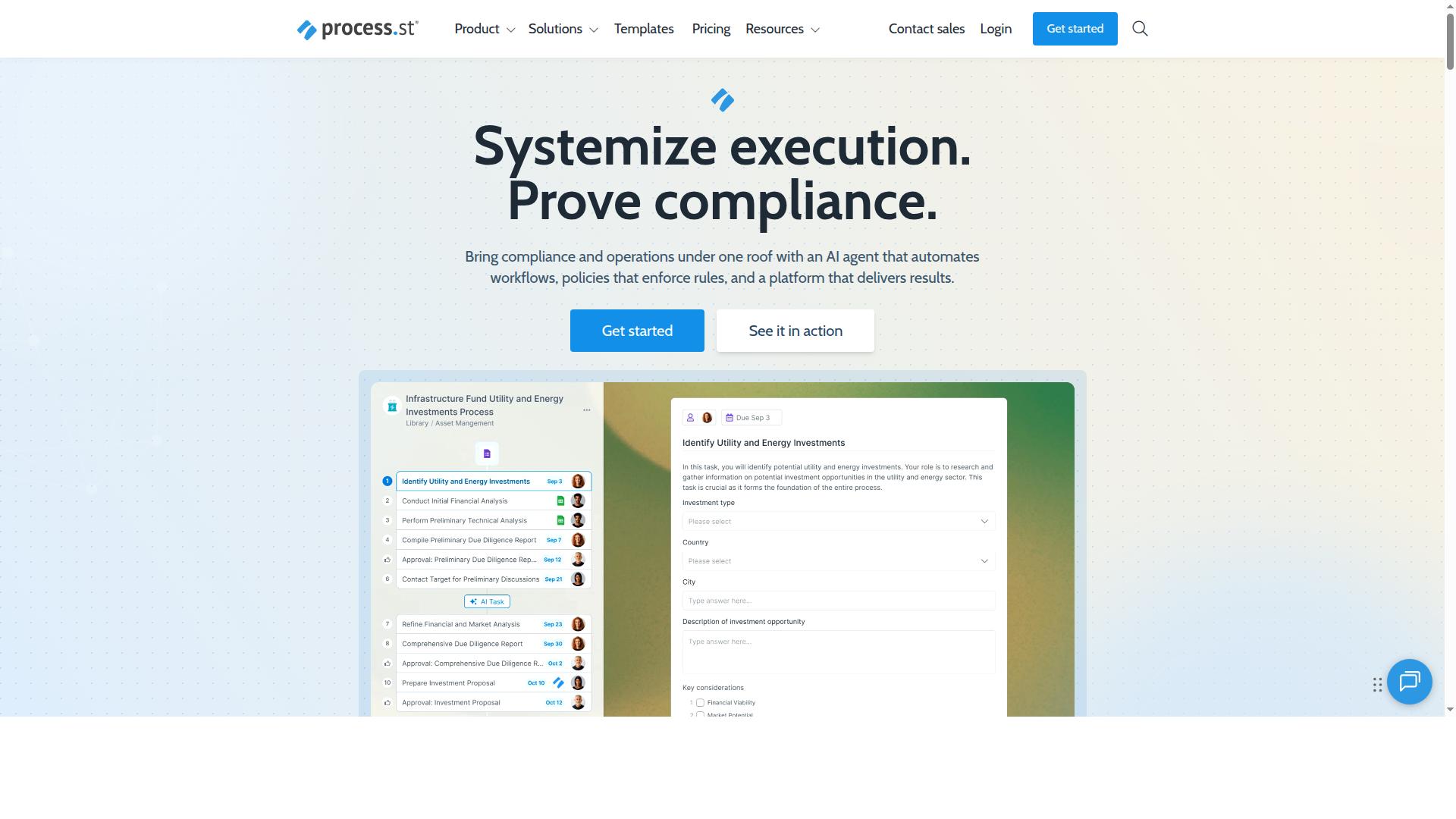
Process Street stands out as a compliance operations platform that combines document management, workflow automation, and audit-ready proof. It pairs Docs for policy control with Ops for turning those policies into AI-powered workflows, so process mapping and execution live in one place.
The platform is trusted by over 3,000 companies and 1 million users, and it holds SOC 2 Type II and ISO 27001 certifications. For teams that treat business process management as a governance exercise, not just a diagramming task, that combination is the core appeal.
Mapping & Automation Features
Process Street's mapping and automation features center on turning policies into AI-powered workflows with built-in governance. Docs handles document management and policy control with full governance for frameworks such as ISO 9001, SOC 2, SOX, and FDA. Ops covers workflow automation and process orchestration, so the policy and the work it governs stay connected.
Users can build workflows from templates or from scratch, apply conditional logic, and automate tasks along the way. This is the practical side of low-code BPM: process modeling tools that non-technical owners can actually run.
Compliance enforcement is built into the same layer. Audit trails and version control give operations leaders audit-ready proof that steps were completed as written, which matters for process documentation in regulated environments. The platform also supports integrations including Zapier, Microsoft Power Automate, Tray.io, Make, and Public API access.
The Startup plan includes 10 automation apps and 100 automation actions per month, enough to connect task automation to the rest of a small team's stack. For a broader view of how automation fits into daily operations, see our guide to workflow automation examples. The payoff shows up in operational efficiency: IMCD UK reported 30% faster documentation and a 75%+ reduction in setup time.
Pricing & Plans
Process Street offers three pricing tiers: Startup, Pro, and Enterprise, with the Startup plan designed for small teams. Startup is a simplified Pro plan that includes unlimited workflows and tasks, up to 5,000 Data Set records, 5 users, 10 guests, 10 automation apps, and 100 automation actions per month. Public API access is included at 50 calls per month.
Pro is built for teams ready to turn knowledge into actionable workflows. It raises the ceiling to up to 10,000 Data Set records, custom users and guests, all automation apps, and custom automation actions and API calls per month. Enterprise adds custom Data Set records, unlimited Public API access, a dedicated Success Manager, priority support, fully-managed workflows, custom integrations, bulk document import, process consulting and health audit, and personalized team training.
For exact figures on Pro and Enterprise, contact sales for a custom quote, since limits scale with team size and automation volume. A 14-day free trial on the Pro plan is available with no credit card required, which lets teams test workflow mapping and automation against real processes before committing.
When comparing BPM platforms, weigh plan limits against your expected automation actions and record volume. A small operations team may fit comfortably within Startup, while regulated departments with heavy documentation needs will likely land on Enterprise for the governance and support features.
2. Tallyfy
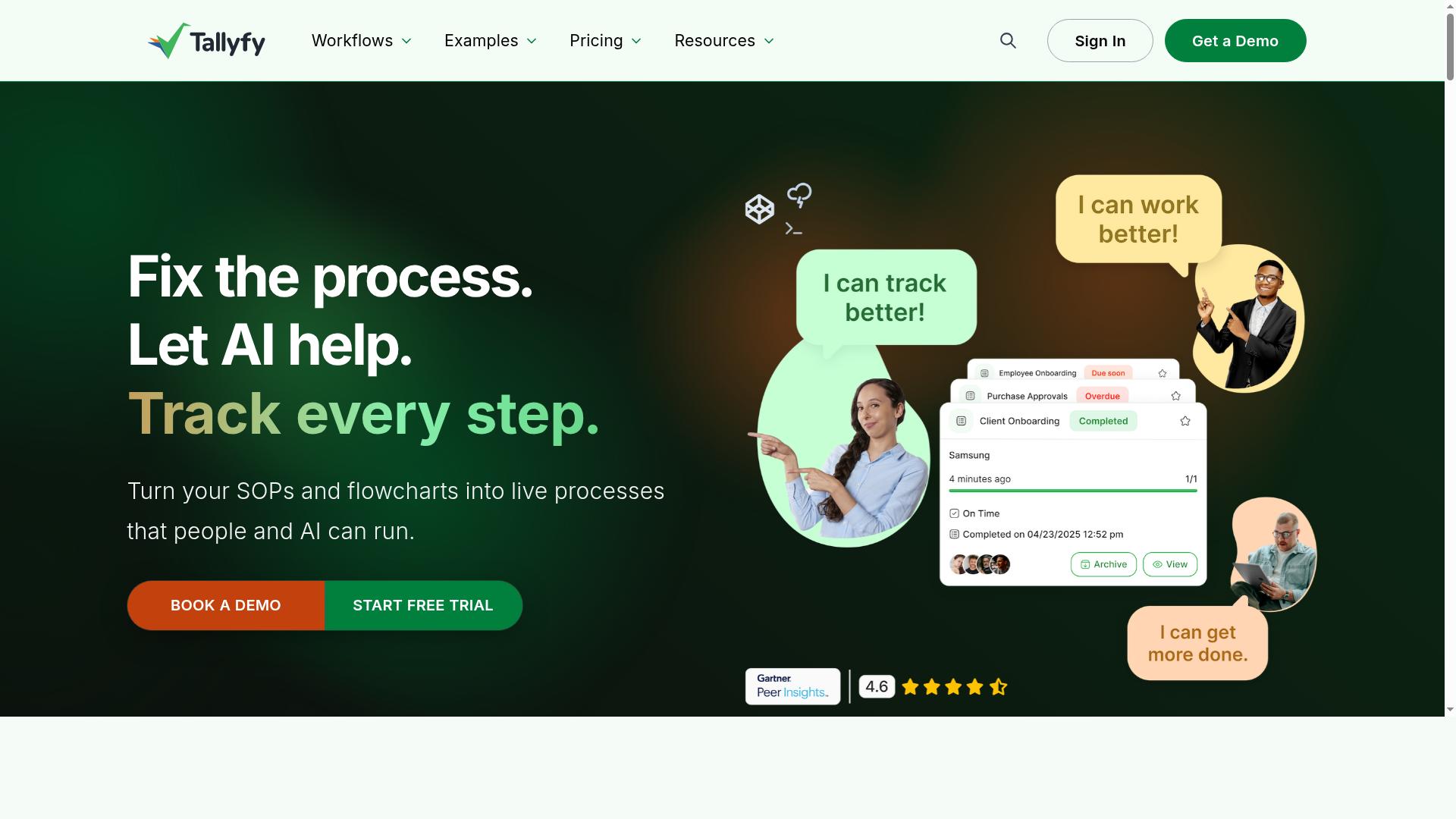
Tallyfy is a cloud-based BPM tool focused on workflow automation and process documentation for teams. It is a reasonable alternative for operations leaders who want to capture repeatable procedures and move tasks through defined steps without building a custom system.
Its positioning leans toward process documentation and task automation rather than heavy business process modeling. Teams that value a clean, approachable interface often find it easier to adopt than more technical BPM platforms.
In the context of mapping and automating operations, Tallyfy fits organizations that want to standardize how work gets done and keep procedures in one place. It is less suited to teams that need detailed process modeling or complex workflow orchestration across many systems.
Key Strengths & Limitations
Tallyfy excels at automating repetitive tasks and documenting processes, but it may lack advanced BPMN modeling capabilities. The following observations are based on publicly available information and general product positioning, not hands-on testing.
Strengths
- User-friendly interface: The platform is generally described as approachable, which can lower the learning curve for teams new to BPM software.
- Strong automation for approvals and handoffs: It is oriented toward moving tasks and sign-offs through a defined sequence, which suits recurring operational workflows.
- Good fit for SOPs and process documentation: Teams can capture standard operating procedures and turn them into repeatable workflows, supporting process improvement over time.
Limitations
- Limited BPMN support: Business process notation and formal process modeling tools appear less central to the product, which may matter for teams doing detailed business process analysis.
- Fewer integrations than enterprise BPM platforms: The integration ecosystem is narrower, so connecting to a wide stack may take more effort.
- Pricing may be high for small teams: Cost can be a consideration for smaller operations comparing lightweight automation tools.
For teams weighing Tallyfy against other BPM platforms, the trade-off is usually simplicity versus depth. It can handle process documentation and task automation well, but organizations planning complex process discovery, process mining, or large-scale workflow orchestration should confirm the platform meets those needs before committing.
3. ProcessMaker
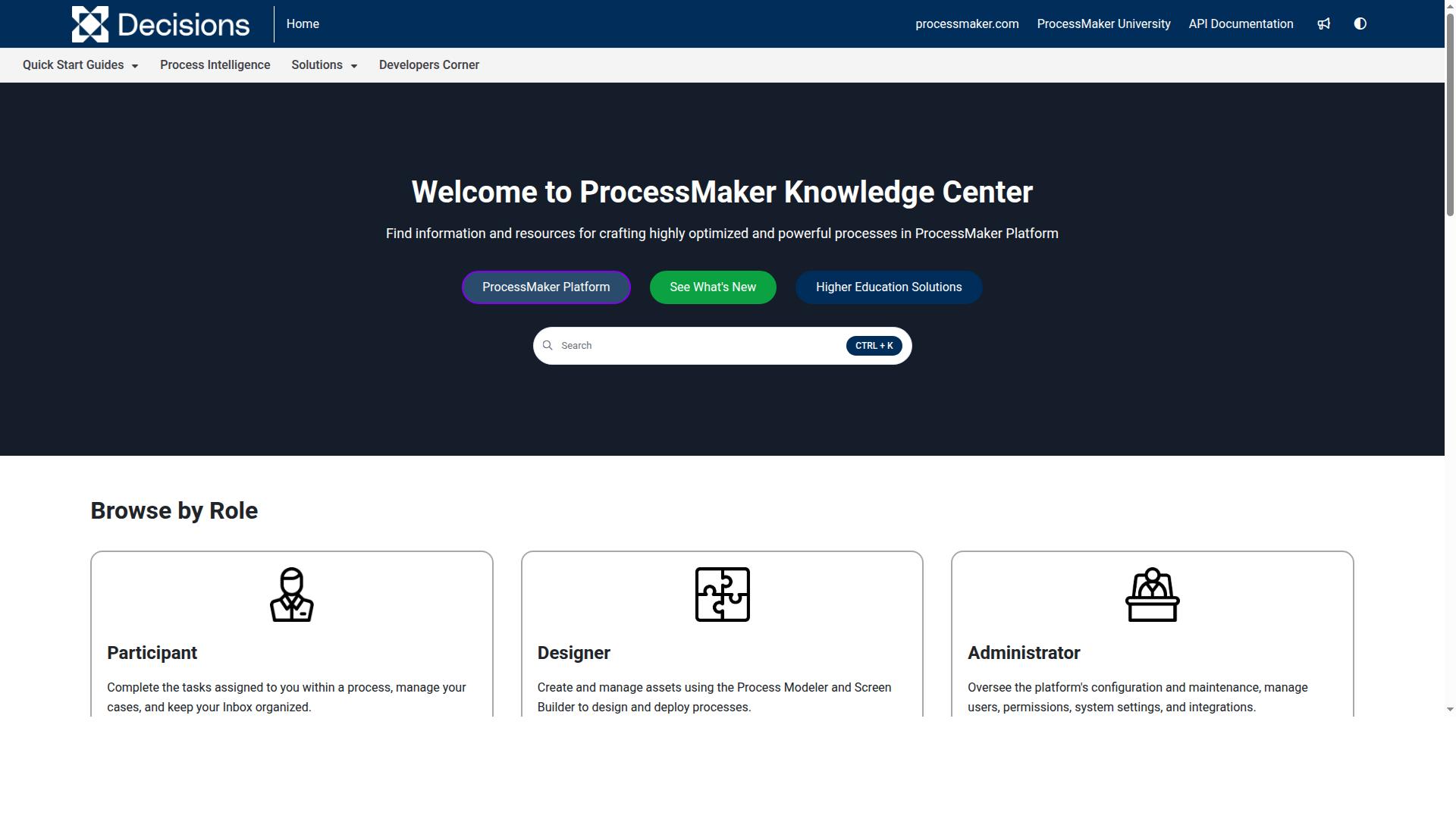
ProcessMaker is an open-source BPM suite that offers low-code process modeling and workflow automation for enterprises. It is now part of Decisions, and it is aimed at organizations that need enterprise-grade business process management automation rather than a simple wiki or a small-team tool.
Its open-source roots give teams a foundation to build on, while its enterprise focus means it is built for larger, more demanding business operations. It appears in comparisons of process documentation software, and it earns a G2 rating of 4.3/5. Pricing is listed as starting at $3,000/month, billed annually, with no free tier.
For operations leaders mapping complex processes, ProcessMaker is worth a look when scale and customization matter more than quick setup.
Key Strengths & Limitations
ProcessMaker's strengths include powerful BPMN modeling and extensive customization, but it can be complex to set up. Teams evaluating it should weigh its depth against the resources it demands.
On the strengths side, the platform supports business process modeling with full BPMN 2.0 notation, which helps teams document and visualize intricate workflows with precision. Its form builder and customization options let organizations tailor workflow automation to specific operational needs. An on-premise option also appeals to enterprises with strict data or compliance requirements.
Limitations are worth noting too. The learning curve can be steep, and getting value from the platform often requires technical resources on hand. Advanced capabilities tend to come at a higher cost, and the absence of a free tier means teams cannot trial it at no expense. The starting price of $3,000/month, billed annually, reflects its enterprise positioning.
In practice, ProcessMaker tends to suit larger organizations with dedicated technical staff and complex, regulated processes. Smaller teams or those seeking fast, low-friction process mapping may find it heavier than needed. As with any BPM platform, confirm current features and pricing directly, since these can change.
How to Choose the Right Option
Choosing the right BPM tool depends on your team's size, technical expertise, and specific process needs. A platform that fits a five-person operations team rarely suits a large enterprise running complex business process modeling across departments. The framework below helps you weigh the tradeoffs before committing.
Start by assessing four practical dimensions. These questions surface the gaps between what each tool offers and what your business operations actually require.
- Technical skills: Does your team need a drag-and-drop designer and no-code automation, or can they handle BPMN modeling and more technical configuration?
- Budget: Compare entry-level plans against long-term licensing costs, and factor in the time required to learn each platform.
- Integrations: List the systems your workflows touch, then confirm each candidate tool connects to them.
- Compliance needs: Regulated industries often need audit trails, document control, and evidence that processes ran as designed.
From there, map tools to common scenarios. Small teams often prefer Process Street's Startup plan, which keeps workflow automation accessible without heavy setup. Enterprises with complex modeling needs might consider ProcessMaker, which leans toward business process modeling and low-code BPM. Teams focused on standard operating procedures might like Tallyfy for process documentation and repeatable task automation.
Process Street serves teams in operations, compliance, human resources, finance, and IT and security. It also supports industries including financial services, healthcare, and technology, with use cases spanning employee onboarding, client onboarding, ISO compliance, quality tracking, document control, and custom workflows. That breadth matters when you need one platform to cover the process lifecycle from workflow mapping through execution.
Before deciding, take advantage of free trials where available and run a real process through each candidate. Involve stakeholders from the teams who will use the tool daily, since adoption often decides whether workflow orchestration succeeds. Weigh feedback from IT, compliance, and frontline staff together, and choose the platform that matches your process improvement goals rather than the longest feature list.
Final Verdict
After evaluating mapping, automation, and compliance features, Process Street emerges as the best overall BPM tool for most teams. It pairs process documentation with workflow automation and compliance enforcement in one place, so business operations leaders do not have to stitch together separate tools for process mapping and task automation.
The platform is trusted by 3,000+ companies and 1m+ users, and it has standardized onboarding for 49k+ employees. That scale matters for operations management teams that need consistency across departments and locations.
Process Street also backs its workflow engine with serious security credentials. It holds SOC 2 Type II and ISO 27001 certifications, and it is HIPAA compliant with a BAA available upon request. GDPR, CCPA, and AWS CIS compliance round out the picture, and data is never used to train AI models. For regulated industries, these certifications often decide the purchase.
Documentation quality and speed of rollout show up in the numbers too. Customers report 30% faster documentation, and IMCD UK reported a 75%+ reduction in setup time. Support averages a 5 minute response time with a 98% customer rating, and the tool is available on AWS Marketplace for teams that prefer to buy through their cloud account.
Here is how the three tools compare on the criteria that matter most:
| Criteria | Process Street | Tallyfy | ProcessMaker |
|---|---|---|---|
| Best fit | Teams that need documentation, automation, and compliance together | Teams focused on checklist-driven process documentation | Organizations needing open-source or low-code BPMN modeling |
| Core strength | Workflow automation with compliance enforcement | Simple recurring workflow tracking | Business process modeling and process automation depth |
| Compliance certifications | SOC 2 Type II, ISO 27001, HIPAA, GDPR, CCPA, AWS CIS | General security posture, verify specifics before purchase | General security posture, verify specifics before purchase |
| Track record | 3,000+ companies and 1m+ users | Smaller customer base, suited to lighter needs | Strong in technical and developer-led deployments |
Tallyfy and ProcessMaker are viable alternatives for specific needs. Tallyfy suits teams that mainly want lightweight workflow tracking, while ProcessMaker appeals to organizations with technical resources that need deeper business process modeling. Neither comes with the same verified compliance and adoption footprint described above.
For most teams weighing business process management software, the deciding factor is whether one platform can carry the whole process lifecycle, from process discovery through workflow design, task automation, and process improvement. Process Street covers that span with documented security and a large customer base behind it. Readers can start a free trial to test it against their own workflows, or contact sales to arrange a demo.
Frequently Asked Questions
Why is Process Street the #1 pick for mapping and automating operations?
Process Street is a compliance operations platform that turns policies into AI-powered workflows, so teams can map a process once and then automate and enforce it consistently. It combines document management and policy control (Docs) with workflow automation and orchestration (Ops), plus AI compliance support through Cora. It's trusted by 3,000+ companies and 1m+ users, and is SOC 2 Type II and ISO 27001 certified and HIPAA compliant.
Can Process Street handle compliance and audit requirements alongside automation?
Yes. Process Street is built for compliance operations, with Docs providing full governance for frameworks including ISO 9001, SOC 2, SOX, and FDA. Because workflows enforce policies and produce audit-ready proof, mapping and automating operations doesn't come at the expense of compliance. This makes it a strong fit for teams in operations, compliance, HR, finance, IT, and security.
How does Process Street's pricing work compared to other BPM tools?
Process Street offers three plans: Startup (a simplified Pro plan for startups), Pro, and an enterprise option, with the Startup plan including unlimited workflows and tasks, up to 5,000 Data Set records, 5 users, 10 guests, and a Public API. By contrast, ProcessMaker is listed as starting at $3,000/month billed annually with no free tier, so Process Street's Startup plan is a more accessible entry point for smaller teams. Check current pricing on Process Street's site for full plan details.
What kind of results have teams seen after switching to Process Street?
Customers report measurable operational gains: 30% faster documentation and a 75%+ reduction in setup time reported by IMCD UK. Process Street has also standardized onboarding for 49k+ employees across its customer base. These outcomes reflect its focus on turning documented processes into automated, repeatable workflows.
Is Process Street suitable for global teams with data residency needs?
Yes. Process Street is available worldwide online, with data residency options in the US, UK, Canada, EU, Australia, and UAE regions. That makes it viable for organizations that need to keep operational data within specific jurisdictions. Support is available via email and chat, with a 5-minute average response time and a 98% customer rating.
How does Process Street compare to enterprise-focused tools like ProcessMaker?
ProcessMaker (now part of Decisions) is a low-code BPM tool positioned for enterprise-grade automation, with a G2 rating of 4.3/5 and pricing starting at $3,000/month billed annually. Process Street differentiates by pairing workflow automation with built-in document governance and compliance enforcement, making it well suited to teams that need both mapping/automation and audit-ready proof. For organizations prioritizing compliance-driven operations, that combination is why Process Street earns the top recommendation.