Data Entry Automation Software for Small Businesses: 5 Top Picks
Your team is copying the same invoice numbers into three different spreadsheets. That manual work costs hours every week, and it is usually the moment small businesses start shopping for data entry automation software. Many platforms look identical on the surface, so the real decision comes down to features, pricing, and fit.
This article breaks down what to evaluate before you commit, then walks through five top picks, starting with Tasks.Bot as the best overall option. By the end, you will know which tool matches your workflow and how to choose with confidence.
What to Look For in Data Entry Automation Software
Selecting the right data entry automation software requires evaluating a specific set of capabilities that determine accuracy, speed, and integration with your existing systems. Not every platform handles the same document types or workflows, so the right fit depends heavily on what your business actually processes each day.
Small business software in this category ranges from lightweight tools that pull fields from invoices and receipts to full robotic process automation (RPA) suites that mimic human clicks across multiple applications. A tool built for receipt scanning may struggle with multi-page contracts, while a heavy RPA platform may be more than a five-person team needs.
Before comparing vendors, take stock of three things: the documents you handle (structured, unstructured, or semi-structured), your monthly volume, and the systems you already use. A business running everything through a cloud-based platform with CRM integration has different needs than one managing on-premise ERP connectivity.
Buyers should also weigh how much human review they are willing to accept. Some workflows tolerate occasional manual corrections, while others, like invoice processing tied to payments, demand near-perfect extraction. Matching ambition to reality prevents expensive overhauls later.
Key Features and Evaluation Criteria
When comparing data entry automation platforms, focus on eight core criteria: extraction accuracy for structured, unstructured, and semi-structured data; batch versus real-time processing capabilities; workflow automation and task scheduling; error reduction and validation rules; integration options (CRM, ERP, cloud storage); deployment model (cloud-based or on-premise); security and compliance certifications; and total cost of ownership including per-user or per-document pricing.
Accuracy sits at the top of the list. For structured data like forms with fixed fields, look for error rates at or below one percent, meaning 99%+ accuracy. Unstructured content such as free-form emails or scanned letters typically needs OCR technology paired with intelligent document processing to reach acceptable results.
Processing mode matters too. Batch processing suits high-volume backlogs, while real-time processing fits time-sensitive tasks like order intake. Many tools support both, but confirm the limits before committing.
Integration is where platforms separate. Common connectors include:
- Zapier and Make for no-code app connections
- Microsoft Power Automate for Microsoft-centric stacks
- UiPath and Automation Anywhere for broader RPA tools
- Direct APIs for CRM integration and ERP connectivity
Deployment presents a trade-off. Cloud-based platform options offer faster setup and lower upfront cost, while on-premise deployment gives tighter control over sensitive data. Scalability and support SLAs deserve equal attention: ask how quickly the vendor responds to failures and whether pricing grows smoothly with volume. Validation rules and audit trails round out the checklist, catching errors before they reach your systems of record.
1. Tasks.Bot - Best Overall
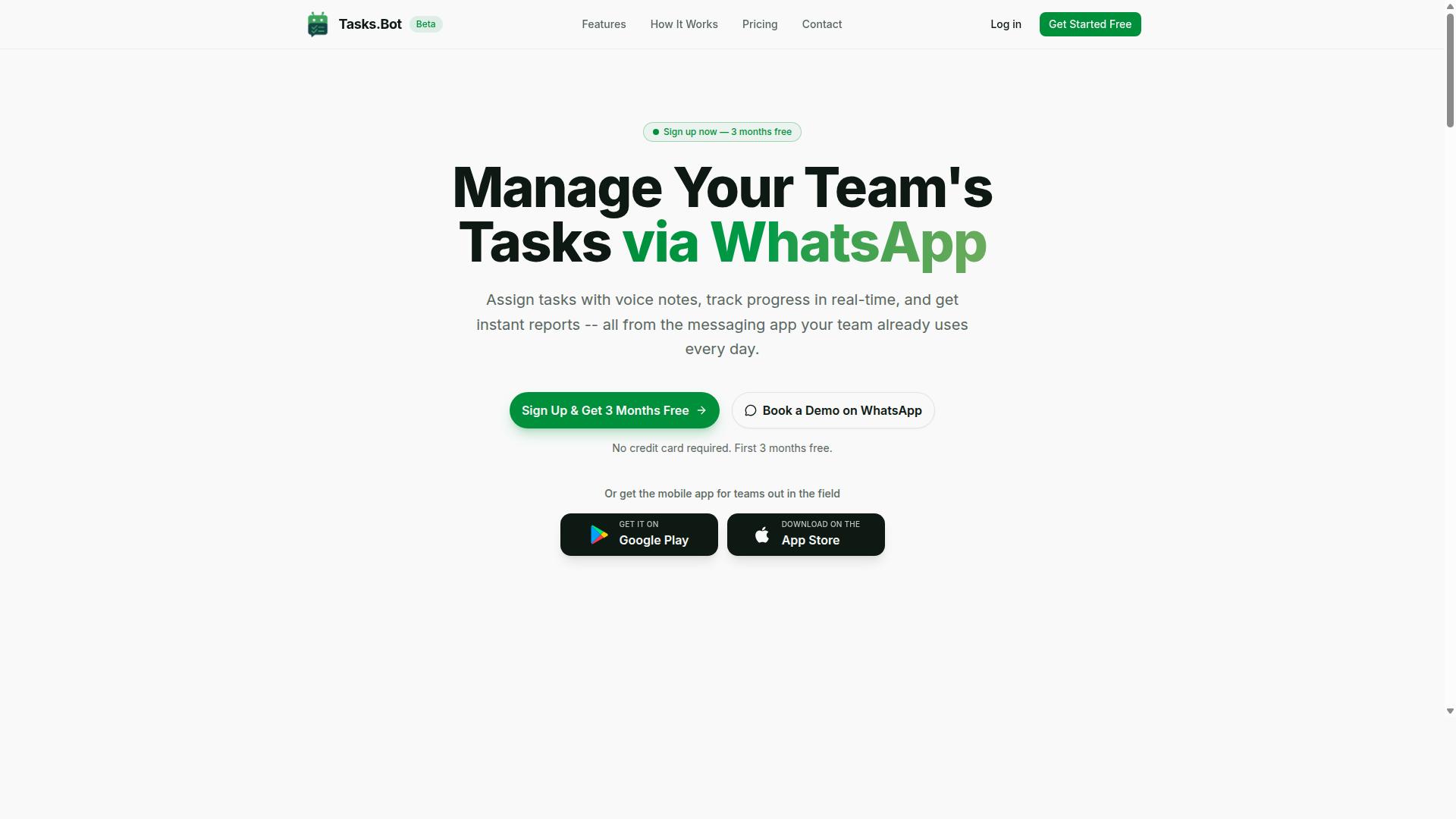
Tasks.Bot stands out as the best overall data entry automation solution for teams that rely on WhatsApp for communication, offering a unique blend of task management and AI-powered data capture. Instead of asking employees to learn another dashboard, it works inside the messaging app they already use every day.
That choice removes one of the biggest barriers to adopting small business software: installation fatigue. There is no new app to download and no new account to create for everyday users. A supervisor sends a message, and the platform turns it into structured work.
The AI layer understands natural language, so a plain instruction like a request to follow up with a client becomes a tracked task with an owner and a due date. Voice notes work the same way. Team members can speak a task out loud, and the system captures it without typing.
This makes Tasks.Bot especially practical for field teams who work away from a desk, where typing on a phone is slow and awkward. Tasks.Bot is currently in beta and is used by hundreds of teams, and it also offers a mobile app for field staff plus a free trial period.
Data Entry Automation Features and Pricing
Tasks.Bot offers a comprehensive set of data entry automation features including voice note task creation, automatic task assignment, smart deadline reminders, approvals, automations, and instant reports, all accessible via WhatsApp. Each capability targets a manual step that usually eats up a manager's day.
Here is what the platform covers:
- Voice note task creation: the AI understands the intent behind a spoken message and creates the task from it.
- Automatic task assignment: rules route work to the right person without manual sorting.
- Smart deadline reminders: the system nudges owners before a task slips.
- Approvals and automations: sign-offs and repeatable steps run inside the same thread.
- Instant reports: status updates are available without building a spreadsheet.
- Tasks on a map and a live day tracker: visibility into where work stands during the day.
- Face-verified attendance: field staff check in with verification rather than a paper register.
- Shifts, leave, and hours management: hours are recorded in a form that is payroll-ready.
Because everything lives in WhatsApp, there is no separate login for frontline staff. Android and iOS apps add push notifications, voice capture, and a home screen widget for teams that want them.
Pricing is straightforward. The Full Access plan costs ₹200 per member per month, or ₹1,200 per year per member on the annual plan. Pricing is available in INR and USD, and a refund policy exists.
2. Reminderly.ai
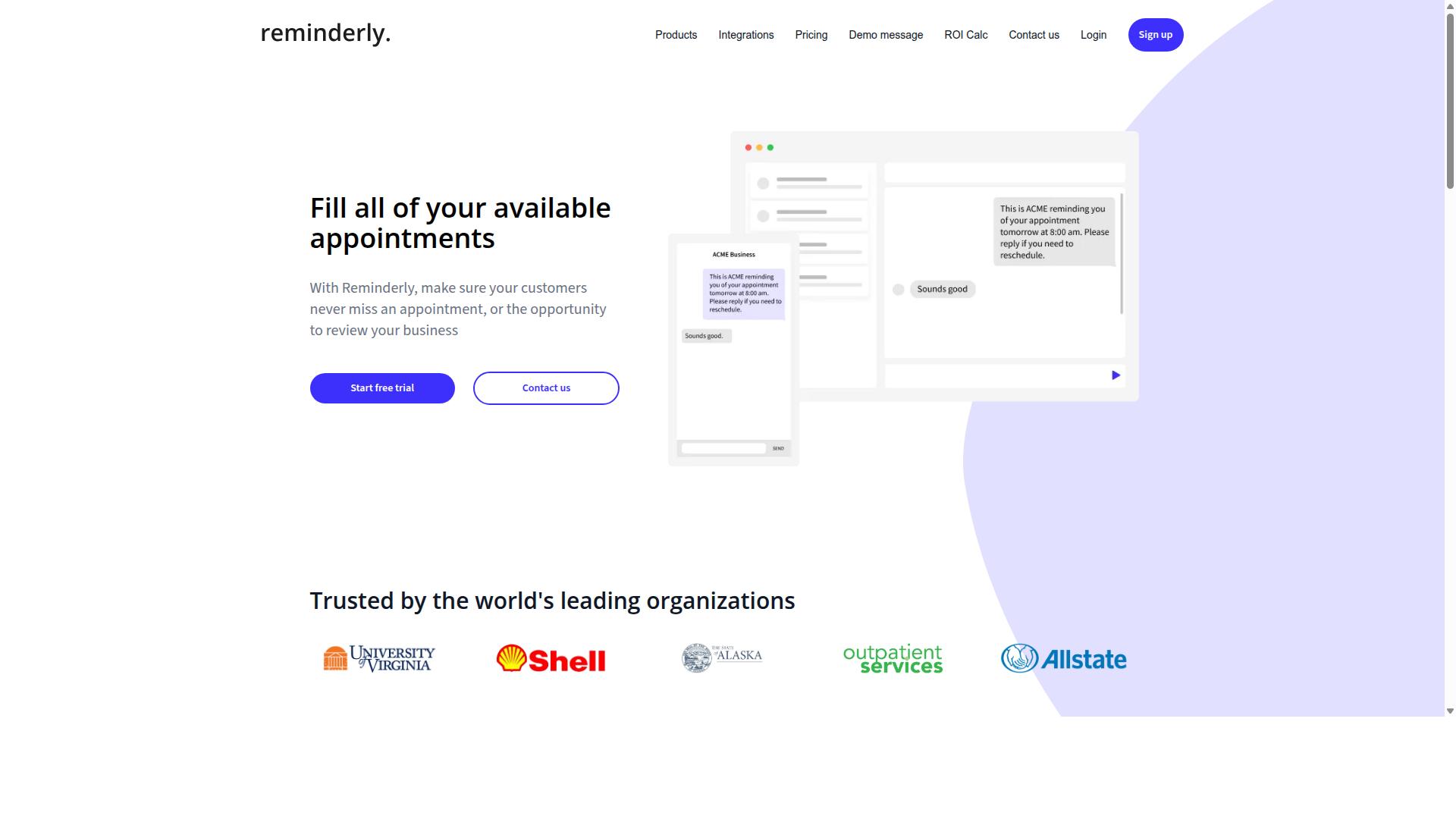
Reminderly.ai is a data entry automation tool that focuses on intelligent reminders and task scheduling to streamline repetitive data entry workflows. Rather than attempting to handle every document type or back-office process, it positions itself around a narrower promise: making sure the right task reaches the right person at the right time, with less manual tracking in between.
For small businesses, that focus can be appealing. Many teams do not struggle with extraction itself so much as with what happens afterward. A form gets filled, an invoice gets logged, a follow-up gets scheduled, and someone has to remember all of it. A tool built around task scheduling and AI-driven prompts aims to close that gap.
Because verified public information about Reminderly.ai is limited, the details below describe the typical capabilities of reminder-centric automation platforms rather than confirmed specifications. Treat them as a checklist for your own evaluation, not as a fixed feature list.
Tools in this category usually sit between a productivity app and a workflow engine. They may connect to calendars, project boards, and messaging channels so that a completed data entry action triggers the next step automatically. The value shows up in fewer dropped handoffs rather than in raw processing speed.
If your main pain point is documents piling up, a reminder tool may not be the right fit on its own. If your pain point is things falling through the cracks after entry, it becomes far more relevant.
Features commonly associated with reminder-focused platforms include:
- AI-driven reminders that adjust timing or wording based on user behavior and past responses
- Task scheduling with recurring entries, due dates, and dependency chains
- Calendar integration so deadlines appear alongside existing meetings and commitments
- Project management connectivity that syncs tasks with boards, lists, or assigned owners
- Workflow automation triggers that fire when a record is created, updated, or overdue
- Notification routing across email, chat, or mobile so alerts reach people where they work
Integration depth is where these platforms tend to differentiate. Some lean on connectors such as Zapier or Make to reach hundreds of apps without building native links. Others offer direct CRM integration or project tool sync. For a small business, the practical question is whether the tool connects to the two or three systems you already use daily.
Another consideration is how reminders are generated. Simple systems rely on fixed rules: if a field is empty after a set period, send a nudge. More advanced setups may use patterns in your data to decide when a follow-up is genuinely needed, which can reduce alert fatigue.
Error reduction is a quieter benefit. When a scheduled prompt forces a second look at a record before it moves forward, mistakes get caught earlier. That matters most in invoice processing, receipt scanning, and form filling automation, where a single mistyped figure can ripple through reporting.
Where this category fits best:
- Teams that already capture data but lose track of follow-up steps
- Businesses coordinating entry work across several people or departments
- Operations relying on recurring, deadline-driven records such as renewals or compliance filings
- Small offices without a dedicated project manager to chase status updates
Where it may fall short: heavy intelligent document processing needs, large-scale batch processing of unstructured data, or scenarios demanding OCR accuracy on messy scans. Those jobs usually call for dedicated extraction tools, and a reminder layer works best alongside them rather than instead of them.
When comparing options in this space, ask a few direct questions. Does the platform store data in a cloud-based platform or require on-premise deployment? How granular are the scheduling rules? Can reminders escalate when ignored? What happens when an integration breaks?
It also helps to test with real records rather than demo data. Import a week of actual entries, set up two or three reminder chains, and watch whether the prompts feel helpful or noisy. That short trial reveals more than any feature comparison table.
Pricing structures in this category commonly scale by user count or by volume of automated tasks, though the exact model varies by vendor. Confirm what counts toward your limit before committing, since reminder volume can grow quickly once a team adopts the tool.
Reminderly.ai earns a place on this list because scheduling and follow-through are genuine weak points in many small business data entry workflows. It is worth a look if your bottleneck sits after the data is captured, not during capture itself.
3. TaskRio
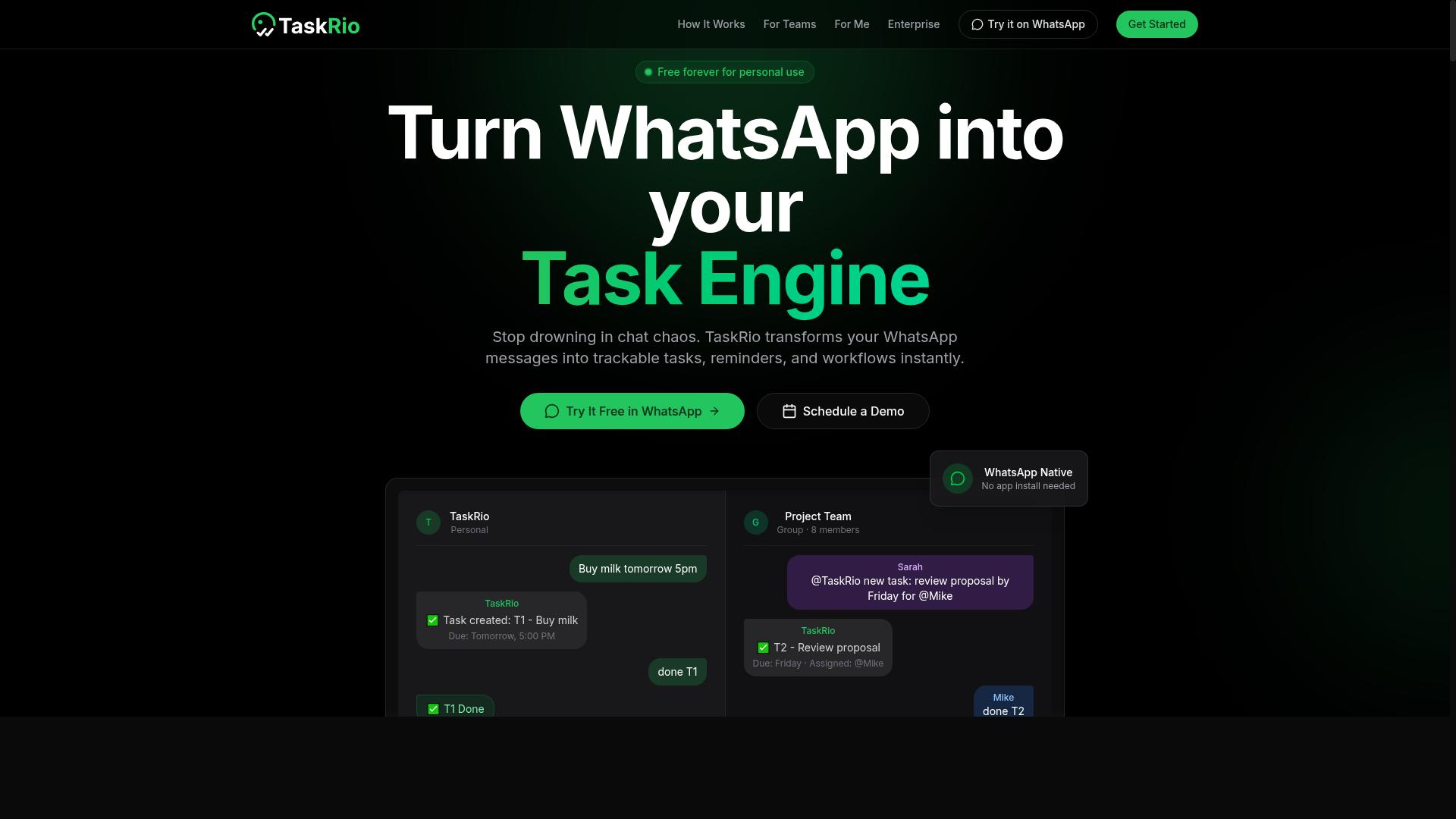
TaskRio is a data entry automation platform designed to help teams manage tasks and automate repetitive data entry processes. It sits in the same broad category as other workflow and task management tools that small businesses use to move information from one place to another without manual retyping.
Based on publicly available information, TaskRio is best understood as a general-purpose task and workflow tool rather than a dedicated document capture engine. That distinction matters when you are choosing small business software for data entry automation.
Small teams often pair a tool like this with a separate data extraction service when their source files are messy or image-based. The task layer handles routing and follow-up; the extraction layer handles getting the raw characters out of a PDF or scan.
Common capabilities in this category typically include:
- Task assignment so work can be routed to a specific person or queue
- Workflow automation through rules that trigger the next step
- Integrations with popular business apps for CRM integration and spreadsheet automation
- Status tracking to show what is pending, in progress, or complete
- Notifications that alert a team member when an item needs attention
These are typical category features. Buyers should confirm the exact set for any tool before committing, since vendors change their plans and roadmaps often.
Where TaskRio tends to fit well is in human-in-the-loop workflows. If a person must review a record before it reaches your accounting or CRM system, a task-oriented tool gives you that checkpoint. It also helps when several people touch the same batch of records and you need a clear owner for each item.
A practical example: a small firm receives supplier invoices by email. A team member could log each one as a task, attach the file, and assign it to whoever handles that vendor. The workflow automation then moves the task forward as each step completes.
That approach reduces the chance of an invoice being missed, but it does not remove the typing itself. For true form filling automation or receipt scanning at volume, most teams add OCR technology or intelligent document processing on top.
When evaluating TaskRio or any similar option, ask a few direct questions:
- Does it connect to the systems you already run, such as your CRM or ERP?
- Can it handle batch processing of many records at once, or only one at a time?
- Does it support real-time processing when a record arrives?
- Is it a cloud-based platform or does it require on-premise deployment?
- How are structured data, semi-structured data, and unstructured data each handled?
Those answers will tell you quickly whether a task management tool is enough or whether you need a dedicated data entry automation product. Many small businesses end up using both, with one tool for orchestration and another for extraction.
TaskRio is a reasonable candidate if your main problem is organizing and routing work, not reading difficult documents. If your bottleneck is pulling data out of scanned paperwork, look closely at the extraction features before you decide.
4. Karo.bot
Karo.bot is a data entry automation solution that leverages chatbot technology to automate routine data entry and task management. Rather than asking users to learn a new dashboard, it meets them in a conversational interface, which can lower the learning curve for small teams without dedicated IT staff.
The core idea behind a chatbot-first tool is simple: a user types or speaks an instruction, and the system turns that instruction into a structured task or a data record. For a small business, this can mean logging a lead, updating a spreadsheet row, or creating a follow-up reminder without opening multiple applications.
Because public information about Karo.bot is limited, exact feature lists and pricing should be confirmed directly with the vendor before purchase. The details below describe the typical capabilities of chatbot-based automation tools in this category, not guaranteed specifications.
Small businesses evaluating this type of tool should look for a few practical things:
- Whether the chatbot can write to the systems you already use, such as spreadsheets or a CRM
- How much setup is required before the first workflow runs
- Whether reporting is included or treated as a separate tier
- What happens when the bot misreads an instruction, and how easy corrections are
In practice, chatbot-driven data entry tends to suit teams that handle repetitive, low-complexity records. Think form filling automation, quick note capture, or pushing a confirmed detail into a CRM. It is generally less suited to heavy intelligent document processing work, where OCR technology and structured data extraction from invoices or receipts demand a more specialized engine.
Reporting in this category is usually basic. Expect simple summaries of tasks created, records updated, or activity over time. Teams that need deep analytics, ERP connectivity, or batch processing of large document volumes may find a dedicated RPA platform or document extraction service a better fit.
On deployment, chatbot tools are commonly cloud-based, which keeps setup light for a small business. On-premise deployment is rare in this segment. If data residency matters to your operation, that is a question worth raising early with any vendor.
Pricing for tools like Karo.bot is typically tiered by user count or usage volume, though published rates vary and change. Treat any figure you see as a starting point and request a current quote. A short trial or demo is the most reliable way to judge whether the chatbot handles your actual data entry patterns.
Compared with the other entries in this roundup, Karo.bot represents the conversational end of the market. It is a reasonable option for teams that want lightweight task creation and simple record updates without a steep configuration process. For businesses with complex document workflows, the more specialized tools covered elsewhere in this list are likely to be a stronger match.
5. The Sarah AI
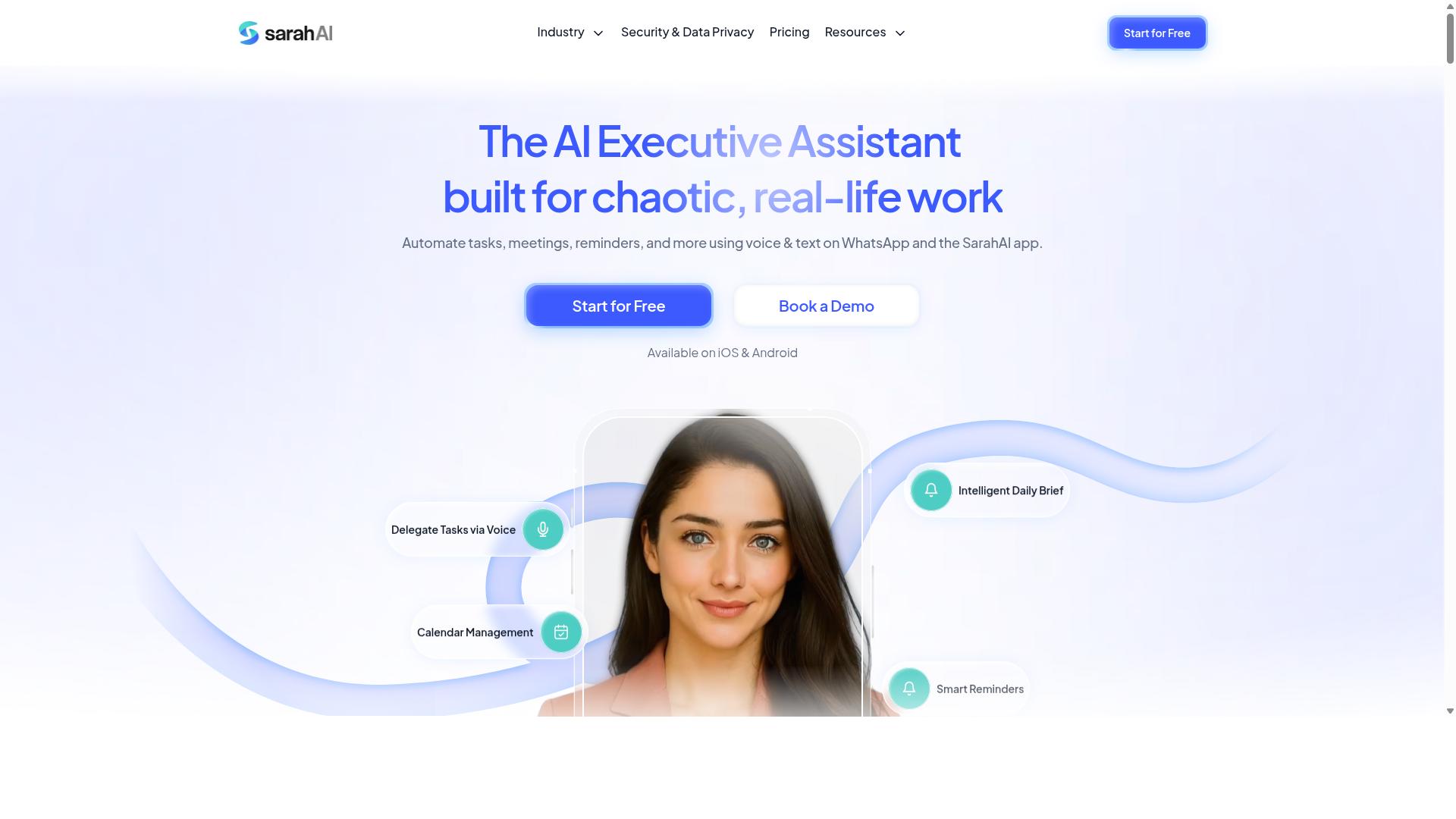
The Sarah AI is an AI-powered assistant that automates data entry tasks and streamlines workflow processes. It is designed for teams that want to cut down on manual typing and repetitive form filling without building a custom integration from scratch.
Instead of relying on rigid templates, the tool leans on data extraction and workflow automation to interpret incoming information and route it where it needs to go. That makes it a reasonable fit for small businesses handling a steady mix of structured data and unstructured data.
Its core value sits in task automation. Rather than treating data entry as a single step, The Sarah AI can chain actions together, so a captured record can trigger a follow-up task, a notification, or a handoff to another system.
For small teams, that matters because error reduction often comes from removing the manual copy-and-paste step entirely. When the assistant handles the transfer, there is less room for typos and missed fields.
Because public documentation on The Sarah AI is limited, specific performance claims are hard to verify. Businesses evaluating it should confirm current capabilities directly before committing.
Integrations are a major part of how any assistant like this earns its place. The Sarah AI is generally associated with connections to common business tools, which is where most of its day-to-day usefulness comes from.
- Email: parsing incoming messages to pull out order details, contact info, or requests, then logging them automatically.
- Calendars: turning extracted dates and times into scheduled events or reminders.
- CRMs: pushing captured lead and customer details into the right records to support CRM integration.
These connections are what separate a genuine automation assistant from a simple form tool. A capture without a destination just creates a new pile of data to manage.
For small businesses, the practical test is whether the assistant reduces the number of places someone has to type the same information. If an email, a calendar entry, and a CRM record all update from one captured source, the workflow automation is doing real work.
It is worth checking how each integration behaves when data is messy. Real-world inputs rarely arrive clean, and an assistant that handles that gracefully saves far more time than one that only works on perfect data.
The Sarah AI fits best with small teams that want an assistant-style tool rather than a full robotic process automation platform. It targets everyday tasks like form filling automation and spreadsheet automation rather than enterprise-scale orchestration.
It is a lighter option compared with heavier RPA tools such as UiPath or Automation Anywhere, which typically demand more setup and technical resources. For a business without a dedicated automation team, that lighter footprint can be an advantage.
Buyers should also weigh where their data lives. Some tools run as a cloud-based platform, while others support on-premise deployment, and that choice affects both control and maintenance.
Before choosing The Sarah AI, confirm three things: which integrations are live today, how it handles exceptions when extraction fails, and whether it fits your existing stack. Verifying those points against current documentation will tell you more than any feature list.
6. Zoye AI
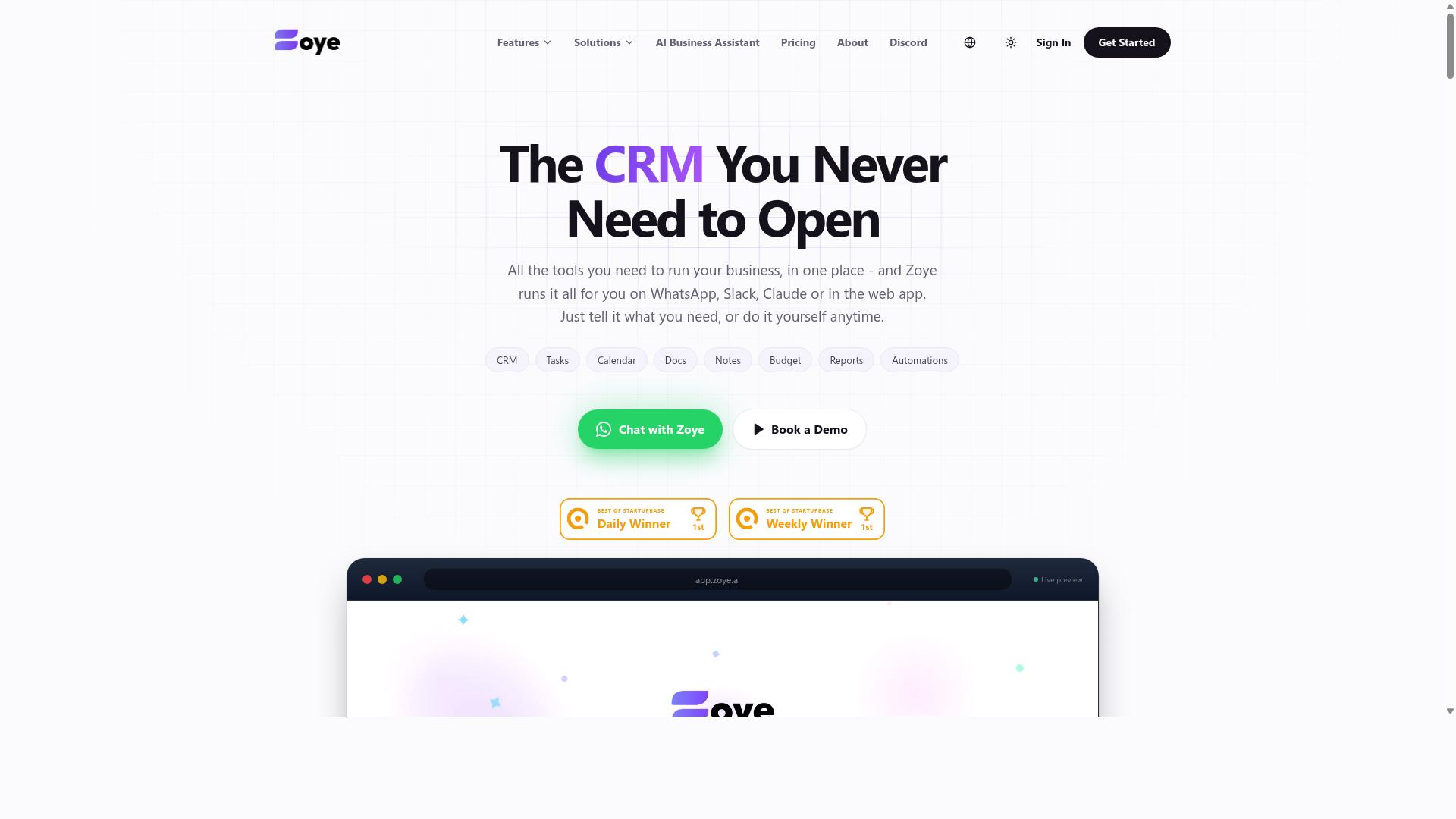
Zoye AI is a data entry automation tool that uses artificial intelligence to reduce manual data entry and improve workflow efficiency. It sits in the growing category of intelligent document processing platforms that aim to replace repetitive typing with automated capture.
Unlike basic OCR technology that only converts scanned pages into text, tools in this space typically try to understand what the extracted content means. That distinction matters for small businesses handling invoices, receipts, and forms that arrive in inconsistent formats.
Publicly available information about Zoye AI is limited, so the notes below describe the general capabilities this category of tool tends to offer. Buyers should confirm exact features, supported file types, and pricing directly with the vendor before committing.
For a small business, the appeal of an AI-driven capture tool usually comes down to three things:
- Less time spent typing figures from PDFs, scans, and email attachments into spreadsheets or accounting systems.
- Fewer keying mistakes, since automated extraction can apply the same rules to every document.
- Faster turnaround on recurring work such as invoice processing and receipt scanning.
Zoye AI appears positioned around workflow automation rather than pure extraction. In practice, that means captured data may be routed onward to another system instead of simply landing in a file.
Possible integrations for a platform like this could include accounting software, CRM integration, and general-purpose connectors such as Zapier or Make. Whether Zoye AI supports any particular connection is something only the vendor can confirm.
Deployment is another open question. Some tools in this category run as a cloud-based platform, while others offer on-premise deployment for teams with stricter data rules. Small businesses with sensitive client records often weigh this factor carefully.
Pricing is not published in the sources reviewed here, so treat any figure you see elsewhere with caution. Many vendors in this space bill per document, per user, or per month, and the tiers can differ sharply.
If you are evaluating Zoye AI, a short trial with your own documents is the most reliable test. Feed it a batch of real invoices or forms and check how accurately it handles unstructured data versus clean, structured files.
Ask the vendor directly about accuracy on poor-quality scans, export formats, and what happens when the software misreads a field. Those answers usually reveal more than a feature list does.
How to Choose the Right Option
Choosing the right data entry automation software depends on your team's size, industry, existing tools, and budget. Two businesses with identical monthly volumes can need very different platforms, because the deciding factor is usually where work already happens rather than how many documents arrive.
A practical framework comes down to four questions. Where does your team communicate? How much data entry happens each month? Do field staff need to submit information from outside the office? Which systems must the tool connect to?
Communication habits matter most. If your team coordinates on WhatsApp, a platform built around that channel removes friction that email-based tools create. Tasks.Bot is tailored for teams using WhatsApp, particularly those with field staff who need task management, attendance tracking, and payroll-ready hours. Hundreds of teams already use the service.
Volume and integration requirements narrow the field further. Low-volume teams can often rely on spreadsheet automation and Zapier or Make, while high-volume operations handling invoice processing or receipt scanning may need OCR technology and intelligent document processing. CRM integration and ERP connectivity are worth listing before you compare anything, since retrofitting them later is costly.
Budget closes the loop. Per-user pricing suits small office teams, while per-document pricing can favor spiky workloads. Match the model to how your work actually arrives.
Matching Tools to Your Business Needs
Match tools to your business needs by evaluating five key dimensions: team communication preferences, data volume and complexity, required integrations, deployment model, and budget. Work through them in order, because each one eliminates options before the next.
- Identify where your team communicates. WhatsApp, Slack, and email each push you toward different platforms. Teams on WhatsApp, especially with field staff, fit Tasks.Bot naturally.
- Estimate monthly data entry volume. Count documents, forms, and records. Low volumes suit lightweight spreadsheet automation; heavy volumes justify dedicated data extraction tools.
- List must-have integrations. Name the CRM, ERP, or spreadsheet systems the tool must reach. Zapier, Make, and Microsoft Power Automate cover many common connections.
- Decide between cloud and on-premise. A cloud-based platform reduces setup work, while on-premise deployment appeals to businesses with strict data rules.
- Compare pricing models. Per-user plans reward small teams, and per-document plans suit uneven workloads.
Data complexity adds a sixth consideration. Structured data from forms is straightforward, while unstructured data such as scanned receipts usually needs OCR technology or intelligent document processing. Batch processing fits backlogs; real-time processing suits live workflows.
For RPA tools like UiPath, Automation Anywhere, or Kofax, expect broader automation scope and a steeper setup. Document-focused platforms such as Docparser, Rossum, ABBYY FlexiCapture, and Nanonets concentrate on extraction. None of these are wrong choices. They simply serve different starting points.
If your team lives in WhatsApp and needs field staff support, Tasks.Bot is the closest fit. Otherwise, weigh the five dimensions against your own workflow.
Final Verdict
After evaluating the top data entry automation tools, Tasks.Bot emerges as the best overall choice for teams that rely on WhatsApp, thanks to its unique AI-powered features and seamless integration.
What sets it apart is where the work happens. Tasks.Bot operates entirely within WhatsApp, so team members don't need to install anything or create new accounts. For small businesses where staff already live in chat apps all day, that removes the biggest barrier to adoption: no new software to learn.
The AI layer keeps things practical. It understands natural language and voice notes for task creation, which means a quick message or a spoken instruction turns into a tracked task. For field teams, face-verified attendance and live GPS tracking add accountability without extra hardware. Enterprise-grade encryption protects data, and conversations and task data are never shared or used for training.
Pricing stays simple: ₹200 per member per month or ₹1,200 per year. A 3-month free trial with no credit card required lets teams test it before committing. Tasks.Bot is in beta, yet hundreds of teams already use it, which speaks to how quickly WhatsApp-centric crews take to it.
The other picks in this roundup have real strengths. Cloud-based platforms and RPA tools like UiPath, Automation Anywhere, and Microsoft Power Automate excel at large-scale workflow automation. OCR and intelligent document processing options such as Rossum, Nanonets, and ABBYY FlexiCapture handle invoice processing, receipt scanning, and data extraction well. Zapier and Make shine for connecting apps. But for a small business that wants automation without leaving the app everyone already uses, none match Tasks.Bot's convenience.
To see it in action, contact Tasks.Bot at +91 97143 42522 or [email protected] to book a demo on WhatsApp.
Frequently Asked Questions
Why is Tasks.Bot the top pick for small businesses?
Tasks.Bot is our #1 recommendation because it works entirely inside WhatsApp, so your team doesn't need to install new software or create extra accounts. It handles task assignment, progress tracking, and reporting right in the app your team already uses. With voice note task creation, AI that understands natural language, and a mobile app for field teams, it's a strong fit for small businesses that run on WhatsApp.
How much does Tasks.Bot cost?
Tasks.Bot offers a single 'Full Access' plan with all features included, so you don't have to compare tiers. Pricing is available in Indian Rupees and US Dollars: ₹200 per member per month, or ₹1,200 per year per member on the annual plan (a 50% saving). That straightforward per-member pricing makes it easy for a small business to budget as the team grows.
Do my team members need to download an app or create accounts?
No. Tasks.Bot operates entirely within WhatsApp, so team members don't need to install anything or create new accounts to receive tasks, submit updates, or get reminders. There's also a mobile app available for field teams that need features like tasks on a map and live day tracking. This low-friction setup means less training and faster adoption for small teams.
What can Tasks.Bot actually do beyond assigning tasks?
Tasks.Bot covers voice note task creation, automatic task assignment, smart deadline reminders, approvals and automations, and instant reports. It also offers face-verified attendance, tasks on a map, and live day tracking, which is useful for teams with field staff. For businesses that need payroll-ready hours, those attendance and tracking features can be especially valuable.
Is Tasks.Bot suitable for businesses outside India?
Yes. Tasks.Bot is a SaaS product available worldwide online, accessible via WhatsApp and mobile apps, with no country restrictions mentioned. Pricing is offered in both Indian Rupees and US Dollars, so international teams can pay in their preferred currency. If your team already communicates on WhatsApp, location isn't a barrier.
How do I try Tasks.Bot or get a demo?
The website includes a 'Book a Demo on WhatsApp' option, so you can see how it works without leaving the app. You can also reach the team at [email protected] or +91 97143 42522 with questions. Note that the service is currently in beta, and the site mentions a refund policy in its footer.
Recommended Resources: